Claim the big screen.
Open Aariz on your TV’s browser, or a computer connected to your TV. The room is yours.
GOOD COMPANY. GREAT COMPETITION.
Multiplayer party games for families and friends. Play on your TV, with everyone’s phones as controllers. No console or player app needed.
Free during early access · No account needed to play
Which planet is known
as the Red Planet?
Try an answer on the little phone →
YOUR TURN!
Pick your answer
An illustrated taste of the game. The real fun is your room.
LESS SETUP. MORE SHOWTIME.
No box of equipment. No passing one phone around.
Just your people, a screen, and a little competitive spirit.
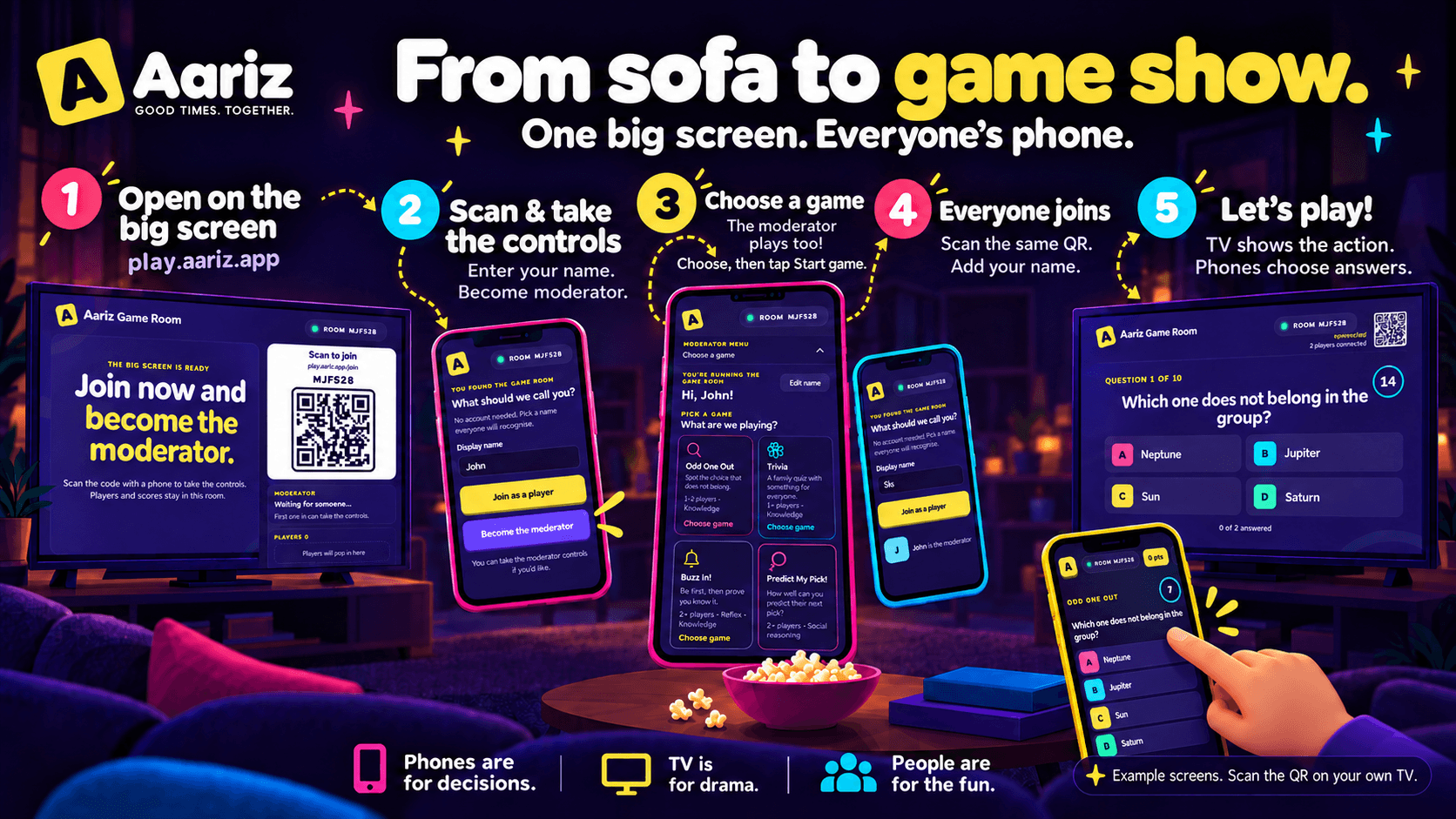
Open Aariz on your TV’s browser, or a computer connected to your TV. The room is yours.
Scan the TV’s QR code and enter a name. The moderator picks the game and gets to play too.
Tap, guess, buzz, vote. Watch the answers and winners appear on the big screen. Repeat enthusiastically.
Want the step-by-step setup guide? ↗ · Playing on a TV? See your setup options ↗
PICK YOUR KIND OF CHAOS
A little knowledge. A little speed. A lot of “I knew that!” Pick a category and put the room to the test.
Know the answer? Hit the buzzer. Get there first and it’s your turn. No pressure, right?
Pizza night or a picnic? Guess what the spotlight player will pick. Their choice becomes the answer.
Four choices. One doesn’t belong. Can you spot it before everyone else? Sometimes the obvious answer isn’t so obvious.
And there’s more where that came from.
GO ON. A LITTLE WARM-UP.
Tap Ready. After 3, 2, 1, GO, count in your head. Tap STOP when you think five seconds have passed.
Try this solo preview here. The full Stop the Clock game needs at least two players, with a shared TV countdown and points for the closest stop.
Play Stop the Clock togetherCount in your head after GO!
Solo preview only. The full game needs 2+ players.
LESS LOOKING DOWN. MORE LAUGHING TOGETHER.
Pick. Vote. Buzz. Make your move, then look up. You won’t want to miss what happens next.
The big reveal. The close call. Your name at the top. This is where the whole room finds out.
The laughter, the friendly arguing, the “one more round.” That part is all you.
No installation needed. Open Aariz in a browser on your TV, tablet or laptop, then join with a phone for each player. You’ll need an internet connection. You can also connect a computer to your TV.
No account is required to join a game. Scan the QR code, enter a display name, and you’re in.
Absolutely. They choose the game and run the rounds, but have their own player controls and answers too.
No. Playing in your browser is the simplest way to start. There’s also an optional Android TV app, available through “Download the App” in the game room.
Not at all. There are kids’ quiz questions, general-knowledge categories and social games for mixed groups. Pick a game and category that fit your room.
Aariz currently needs an internet connection to keep the shared screen and phones in sync.
THE SOFA IS YOUR FRONT ROW.
Open on your big screen. Join with your phones.