LESS SETUP. MORE SHOWTIME.
Your first round starts here.
Aariz is a browser-based multiplayer party game room. A TV, tablet or laptop displays the game, while each player uses a phone to make their moves.
What do you need?
- A shared screen with a working browser: a TV, tablet or laptop. You can also connect a computer to your TV.
- A phone with a browser for each player, including the moderator.
- An internet connection on the shared screen and phones.
Aariz is free during early access. No account is needed to play, and the Android TV app is optional. Some games need two or more connected players; check the game list before choosing.
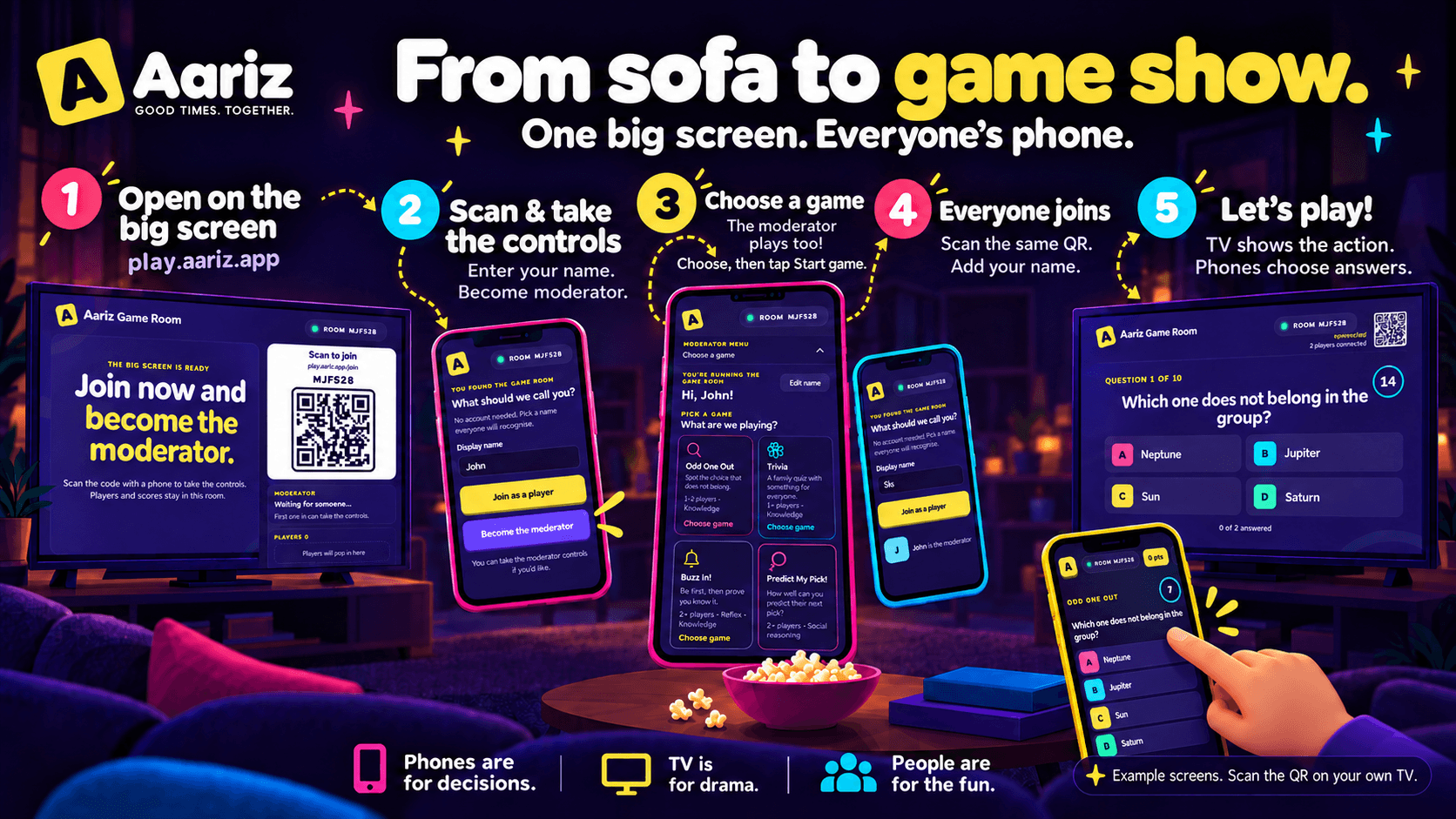
1. Open the room on your shared screen
Visit play.aariz.app on the TV, tablet or laptop everyone will watch. Leave that page open throughout the game. It shows your room’s QR code and join code.
On a phone, that address opens the shared-screen view, not player controls. Use the room’s join link when you want to play.
2. Join with your phones
Scan the QR code on the shared screen and enter a display name. If scanning is awkward, open play.aariz.app/join on your phone and type the room code.
The first person can become moderator. Other people join the same room as players. The moderator also plays with their own answers, so nobody needs to sit out.
3. Pick a game and start
The moderator chooses a game and its available settings. Start with ten questions or rounds when that option is available. Once everyone has joined, start the game.
Questions appear on the shared screen before phone controls unlock. Most rounds let everyone answer at once. Buzz In! lets only the first buzzer answer; Stop the Clock begins with a shared countdown; Rock Paper Scissors advances automatically.
4. Reveal, react, repeat
Use the phone for decisions and look up for results. In question-based games, the moderator can reveal results, move to the next question or end the game. Scoring depends on the game; social voting games show a recap rather than quiz points.
At the end, Play again starts the selected game again. Menu takes you back to game selection.
If something gets in the way
- The QR code won’t scan
- Use the manual join address and the code shown on the shared screen.
- The game won’t start
- Check the minimum player count and that those players are connected. The moderator counts as a player.
- Questions aren’t appearing
- Keep the shared-screen page open and check its connection. Remotes wait for the shared screen to display the question.
- No sound is playing
- Check the moderator’s sound and music controls and device volume. Browsers may need a tap or remote-button interaction before playing audio.
Still stuck? Email connect@aariz.app.
Ready for your next round?
Free during early access. No account needed to play.
Open Aariz Game Room ↗Open on a shared screen. Join with your phones.